The best CRM for ecommerce in 2026 is HubSpot for brands generating between $500,000 and $50 million a year, because it is the only platform that unifies marketing, sales, customer service, and now autonomous AI agents on one CRM database built to scale from a first Shopify sale to multi-store, multi-market operations.
Brands under $500K get more value from HubSpot’s Free CRM and Starter tier while they prove out their model. Brands above $50M, especially those with complex global catalogs, typically outgrow HubSpot and move to an enterprise platform like Salesforce’s Agentforce Commerce. Everything in between is where HubSpot’s ecommerce-specific tooling, native Shopify and WooCommerce sync, and per-seat pricing model deliver the strongest return.
Best CRM for E-Commerce Businesses in 2026
The best ecommerce CRM in 2026 is HubSpot, because it is the only platform that unifies marketing, sales, and customer service into a single system built to scale from a first Shopify sale to multi-store, multi-market operations. Unlike point solutions such as Klaviyo that started in email and SMS, HubSpot provides a complete customer relationship management layer that connects order data, support tickets, lifecycle automation, revenue attribution, and now autonomous AI agents in one portal.
Choosing the right CRM for a growing ecommerce brand is not a product comparison exercise. It is a growth-stage decision. A store generating $200,000 a year needs a fundamentally different CRM architecture than a brand processing $5 million across multiple storefronts. This guide introduces a growth-stage CRM decision framework, walks through HubSpot-native workflows built specifically for online retail, and covers HubSpot’s July 2026 Agent Hub rebrand, migration, total cost of ownership, and implementation best practices in one place.
If your brand sells online and you are evaluating CRM and automation solutions for ecommerce, this guide is built to get you to a confident, data-backed decision without needing a second search.
What Is an Ecommerce CRM (And Why Generic CRMs Fall Short)?

An ecommerce CRM is a customer relationship management platform designed to handle the specific data structures, transaction volumes, and lifecycle patterns of online retail. It connects storefront data from platforms like Shopify, WooCommerce, or BigCommerce with marketing automation, sales pipelines, and post-purchase service workflows.
Generic CRMs like legacy Salesforce Sales Cloud (now rebranded Agentforce Sales) or Microsoft Dynamics 365 were built for B2B sales teams managing long deal cycles with a small number of high-value contacts. Ecommerce operates differently. A mid-size online store can generate thousands of transactions a month, each tied to product-level data, shipping events, return requests, and review requests.
That volume mismatch is the core reason traditional CRMs fall short for ecommerce companies.
Ecommerce CRM vs. Traditional CRM: The Core Differences
The distinction comes down to data model, automation triggers, and integration depth.
A traditional CRM tracks contacts, companies, and deals. An ecommerce CRM must also track orders, products, subscriptions, cart events, shipping status, and post-purchase satisfaction scores. In HubSpot, this is handled through custom objects, which let brands model orders, product SKUs, and subscription records as first-class CRM entities linked directly to contact and deal records.
Traditional CRMs trigger automations based on deal-stage changes or form submissions. Ecommerce CRMs trigger automations based on cart abandonment timestamps, purchase frequency, average order value thresholds, and product category browsing behavior.
Traditional CRMs integrate with email clients and calendar tools. Ecommerce CRMs must natively sync with Shopify, WooCommerce, Stripe, payment gateways, shipping providers like ShipStation, and review platforms like Yotpo or Stamped. Xynario’s teardown of where Shopify and BigCommerce automation quietly breaks walks through exactly where this integration depth tends to fail in practice.
Pro Tip: Build custom objects in dependency order: Products first, then Orders (which reference Products), then Subscriptions (which reference Orders). Building them out of order forces rework on association labels later.
Ecommerce CRM vs. Customer Data Platform (CDP): Where HubSpot Fits
A CRM and a customer data platform solve related but distinct problems, and the confusion between the two is one of the most common mistakes ecommerce teams make when building their stack.
A CRM is a system of record for relationships. It stores individual contact and company records, tracks deals and support tickets, and is where marketing, sales, and service teams work every day. A CDP is a data infrastructure layer. It ingests raw behavioral, transactional, and device-level data from many sources, resolves it into a unified customer profile, and pushes that profile out to other tools for activation.
For most ecommerce brands under $50 million in revenue, a standalone CDP is unnecessary overhead. HubSpot’s Smart CRM already unifies website behavior, email engagement, order history, and support interactions into a single contact record, which covers the core job a CDP does for a mid-market team. Brands typically need a dedicated CDP only once they operate multiple storefronts or brands on separate tech stacks and need to stitch identity across systems that don’t share a database natively, which is closer to the $50M-plus Expand stage covered later in this guide.
Why Your E-Commerce Store Needs a Purpose-Built CRM in 2026
Three market shifts make a purpose-built ecommerce CRM essential in 2026.
First, first-party data has become the foundation of ecommerce marketing, though not for the reason most guides still cite. Google walked back its plan to force third-party cookies out of Chrome, officially abandoning the deprecation in 2024 in favor of a user-choice privacy model. Safari and Firefox still block third-party cookies by default, and a growing share of Chrome users opt out through browser privacy settings. Combined with GDPR and CCPA enforcement, the practical result is the same as if deprecation had happened outright: brands cannot rely on third-party tracking, and a CRM is the system that owns first-party purchase history, email engagement, and support data directly from the customer relationship.
Industry Insight: Treat “Chrome will delete third-party cookies” as outdated advice if you see it in other 2024 or 2025-era guides. The real driver of first-party data strategy in 2026 is browser fragmentation (Safari and Firefox already block by default) plus GDPR and CCPA enforcement, not a single Chrome deadline.
Second, customer acquisition costs continue to rise across Meta Ads, Google Ads, and TikTok Ads. Retention and repeat purchase rate are now the primary growth levers for profitable ecommerce. A CRM with lifecycle automation and segmentation capabilities turns one-time buyers into repeat customers without incremental ad spend, which is also where intent data and personalization start doing real work inside a CRM instead of sitting in a separate analytics tool.
Third, AI-powered personalization requires clean, unified customer data. HubSpot’s Agent Hub, covered in detail later in this guide, only produces accurate outreach, support responses, and deal recommendations when the underlying CRM data is complete and current. Fragmented tools produce fragmented data, and fragmented data produces AI agents that guess instead of know.
The Growth-Stage CRM Decision Framework

Most ecommerce brands do not fail because they chose the wrong CRM. They fail because they chose the right CRM for the wrong stage. A $150,000-a-year Shopify store does not need Salesforce’s Agentforce Commerce. A $5 million multi-store brand cannot survive on Mailchimp and Google Sheets.
This framework maps CRM requirements to three concrete revenue stages. It removes guesswork and ensures every dollar spent on CRM software delivers returns appropriate to the brand’s current scale.
Stage 1: Launch ($0 to $500K), What You Actually Need
At the launch stage, the priority is capturing customer data from day one without overcomplicating the tech stack. Most brands at this stage run on Mailchimp, Klaviyo’s free tier, or no CRM at all.
The minimum viable CRM at this stage should include contact management with ecommerce data sync, basic email automation for welcome series and order confirmations, and simple list segmentation by purchase history.
HubSpot fits this stage through its Free CRM combined with the Starter tier, which starts at roughly $20 per seat, per month and covers Marketing, Sales, Service, Content, and Operations tools at the entry level. The free CRM provides unlimited contacts, a deal pipeline, and basic reporting. Starter adds email marketing, forms, and simple automation.
The critical action at Stage 1 is choosing a CRM that can grow with the brand. Migrating CRM systems mid-growth is expensive and disruptive. Starting on HubSpot at the free or Starter tier eliminates that future migration cost entirely.
Stage 2: Scale ($500K to $5M), When to Upgrade and Why
The scale stage is where most ecommerce brands hit a CRM crisis. The symptoms are consistent: marketing data lives in Klaviyo, order data lives in Shopify, support tickets live in Zendesk or Gorgias, and nobody has a unified view of the customer.
At this stage, the CRM must unify data across marketing, sales, and service. It must support workflow automation with conditional branching, custom properties for ecommerce-specific fields like lifetime value and purchase frequency, and reporting dashboards that connect marketing spend to revenue.
HubSpot’s Professional tier across Marketing Hub, Sales Hub, and Service Hub is purpose-built for this stage. It introduces custom properties, advanced workflow automation with if/then logic, A/B testing for emails, and multi-touch revenue attribution.
This is also the stage where CRM and marketing automation alignment becomes critical. Disconnected systems at $500K revenue become expensive at $2 million revenue. Every month of delayed migration compounds the data debt. Xynario’s CRM implementation guide for mid-market companies goes deeper on scoping this specific transition.
Tool Native Content: In HubSpot’s workflow builder, set re-enrollment triggers deliberately at Stage 2. Ecommerce contacts re-enter lifecycle stages constantly (a lapsed customer buys again, a VIP goes quiet), and a workflow that only enrolls once will silently stop updating a large share of your contact base within a few months.
Stage 3: Expand ($5M+), Multi-Store, Multi-Market CRM Architecture
Brands crossing $5 million in annual revenue typically operate multiple storefronts, sell in multiple currencies, or manage both DTC and wholesale channels. The CRM at this stage must support custom objects for complex data models, calculated properties for real-time metrics, partitioning for multi-brand management within a single portal, and advanced API integrations with ERP systems like NetSuite or SAP.
This is also the stage where the CRM-versus-ERP question comes up most often. A CRM manages the customer relationship: contacts, deals, tickets, and marketing history. An ERP manages the business’s internal operations: inventory, accounting, procurement, and financial reporting. The two systems are complementary, not competing. HubSpot’s Operations Hub connects to ERP platforms via API so order and fulfillment data can flow between the customer-facing CRM and the operational backbone without manual re-entry.
HubSpot Enterprise with Operations Hub provides all of these capabilities. Custom objects let brands create dedicated data structures for wholesale orders, subscription tiers, or product bundles. Operations Hub adds programmable automation using custom-coded workflow actions, data quality automation for deduplication and formatting, and advanced data sync with third-party systems.
At this stage, brands also benefit from HubSpot’s App Marketplace, which includes pre-built integrations with Shopify Plus, WooCommerce, BigCommerce, Stripe, ShipStation, Avalara for tax compliance, and hundreds of other ecommerce tools. Zara’s approach to running a lean, tightly integrated digital supply chain is a useful reference point for what this level of systems integration looks like once a brand is operating at real scale.
When Even HubSpot Isn’t Enough: ERP-Native CRM Alternatives
At a certain scale, the question stops being which CRM and starts being whether CRM should even sit as a separate system. For ecommerce brands running complex, high-SKU catalogs across multiple entities or regions, three ERP-native platforms are worth knowing before committing to HubSpot plus a synced Operations Hub connection.
Microsoft Dynamics 365 Sales starts at $65 per user per month for the Sales Professional tier, rising to $105 for Sales Enterprise and $150 for Sales Premium. Its advantage is not the CRM functionality itself, it is native integration with Azure, Teams, and Power BI, which matters most for brands already running on the Microsoft stack. Implementation typically starts around $25,000.
Odoo takes the opposite approach: instead of syncing CRM to ERP, it puts CRM, inventory, and accounting inside one unified system from the start. US list pricing runs roughly $25 to $31 per user per month on the Standard plan, though it varies significantly by region. The trade-off is that Odoo’s CRM module is genuinely lighter than HubSpot’s, brands are buying unification here, not marketing sophistication.
SAP Sales Cloud sits above both, with cloud-native V2 pricing typically starting around $130 to $140 per user per month, though some editions and sources quote entry pricing closer to $60 to $80 per user per month, so a direct quote is worth getting before citing a figure to a client. SAP is the right conversation for multinational brands with complex compliance and catalog requirements that outgrow what HubSpot Enterprise or Salesforce Agentforce Commerce were built for.
Xynario’s breakdown of HubSpot vs. Salesforce for IT services covers the same simplicity-versus-scale trade-off from a different angle.
None of these three are “better” than HubSpot for the mid-market ecommerce brand this guide is written for. They are the answer for a specific, smaller segment: brands where CRM needs to live inside ERP, not next to it.
How to Know You Have Outgrown Your Current CRM (5 Warning Signs)
Five signals indicate a brand has outgrown its current CRM setup.
- Marketing and sales data live in separate systems. If marketing uses Klaviyo while sales or support uses a different tool, customer data is fragmented, creating blind spots in personalization and reporting.
- Cart abandonment recovery relies on a single email. Effective recovery requires multi-step, multi-channel workflows with conditional logic. If the current CRM cannot support this, revenue is being left on the table.
- Customer lifetime value cannot be calculated automatically. If calculating CLV requires exporting data to a spreadsheet, the CRM is not fit for purpose.
- Support tickets are disconnected from purchase history. When a customer contacts support, the agent should see every order, email interaction, and prior ticket without switching tabs.
- Reporting requires manual data pulls. If weekly or monthly reporting means exporting CSVs from multiple tools and combining them in Google Sheets, the CRM is a bottleneck, not an accelerator.
If three or more of these apply, it is time to evaluate a migration. For a deeper, symptom-by-symptom breakdown, see 5 Signs It’s Time to Switch Your CRM to HubSpot.
Key Features to Look for in the Best Ecommerce CRM

The best CRM for ecommerce operations must cover seven functional areas. Each area addresses a distinct stage of the customer lifecycle, from first visit to repeat purchase and referral.
Unified Customer Data and 360-Degree Profiles
A 360-degree customer profile aggregates every interaction a customer has with the brand: website visits, email opens, purchases, support tickets, loyalty program activity, and social engagement. This unified view is the foundation for personalization, segmentation, and accurate reporting.
In HubSpot, the contact record is the central hub. Custom properties store ecommerce-specific fields like total order count, average order value, preferred product category, and last purchase date. Associated records link contacts to deals, tickets, and custom objects for orders and subscriptions.
Without unified data, every downstream activity, from email campaigns to support interactions, operates on incomplete information. Xynario’s AI lead scoring work runs on the same principle: scoring only gets more accurate as the underlying contact data gets cleaner.
Marketing Automation and Lifecycle Campaigns
Ecommerce marketing automation extends far beyond batch email sends. It includes triggered workflows based on behavioral events, lifecycle-stage transitions, and predictive scoring.
Key automation workflows for ecommerce include welcome series for new subscribers, post-purchase follow-up sequences, win-back campaigns for lapsed customers, cross-sell and upsell triggers based on purchase history, and birthday or anniversary offers tied to customer profile data.
HubSpot’s Marketing Hub supports all of these through its visual workflow builder, which allows conditional branching, A/B path testing, and goal-based enrollment. For brands already invested in email marketing, HubSpot centralizes these workflows alongside CRM data, eliminating the need for standalone email platforms. Xynario’s guides on engaging email campaigns that convert and segmentation in email marketing both cover the workflow logic behind this in more depth.
Sales Pipeline Management for Ecommerce
While ecommerce is primarily a self-service purchase model, many growing brands also manage wholesale accounts, B2B partnerships, or high-value custom orders through a sales pipeline.
HubSpot’s Sales Hub provides customizable deal pipelines that can be configured for wholesale order processing, influencer partnership management, or corporate gifting programs. Deal stages can be mapped to ecommerce-specific milestones like sample shipped, purchase order received, and reorder scheduled.
For wholesale-only or B2B-adjacent ecommerce brands that need visual pipeline management without a full HubSpot Hub bundle, Pipedrive is worth knowing. It starts at roughly $14 to $24 per user per month, offers no native marketing automation, and is built specifically around deal-stage visibility rather than full-funnel marketing.
It is not a competitor to HubSpot for brands running email, ads, and CRM together, it is the lighter-weight option for a sales team that only needs the pipeline. Xynario’s guide on CRM and marketing automation for B2B close rates covers what a brand gains by keeping sales and marketing on one system instead of splitting them across tools like this.
For brands that blend DTC and B2B sales channels, this pipeline flexibility is essential. It keeps both revenue streams visible in a single dashboard.
Customer Service and Post-Purchase CX
Post-purchase customer experience is one of the most neglected revenue levers in ecommerce. Brands that invest in structured post-purchase workflows see higher repeat purchase rates, stronger Net Promoter Scores, and more organic referrals. Apple’s own post-purchase upsell gap is a useful case study in how much revenue sits unclaimed even for brands with enormous customer bases, when the post-purchase moment isn’t systematized.
HubSpot’s Service Hub provides a ticketing system, knowledge base builder, customer feedback surveys including NPS, CSAT, and CES, and a customer portal for self-service support. When combined with ecommerce data, these tools create a closed-loop post-purchase experience.
For example, a ticket created from a shipping delay can automatically trigger a discount offer if the customer’s NPS score drops below a threshold. This kind of conditional service automation is only possible when support data and purchase data live in the same system.
Loyalty and Retention: Native CRM Tools vs. When You Need a Dedicated Platform
Loyalty and retention deserve their own line in the CRM decision, because they get treated as an afterthought inside a broader marketing automation build far too often. Netflix’s own retention blind spot is a reminder that even subscription-native businesses with enormous data advantages can miss the moment a customer is about to churn.
HubSpot handles the retention layer natively through lifecycle stage automation, RFM segmentation, referral tracking, and NPS-triggered workflows, which is enough for most brands through the Scale stage. What HubSpot does not include out of the box is a points-and-tiers loyalty program: the kind of system where customers earn points per purchase, unlock VIP tiers, and redeem rewards at checkout.
Brands that want that specific mechanic typically pair HubSpot with a dedicated loyalty platform such as Smile.io, LoyaltyLion, or Yotpo’s Loyalty & Referrals product, syncing loyalty status back into HubSpot as a contact property so it can trigger CRM workflows. The decision point is simple: if retention strategy is behavioral (win-back emails, VIP segments, service-driven recovery), HubSpot’s native tools cover it. If retention strategy requires a points economy customers can see and redeem, add a dedicated loyalty platform on top of the CRM rather than trying to replace the CRM with one.
Analytics, Attribution, and Revenue Reporting
Accurate revenue attribution is the difference between scaling profitably and scaling blindly. The best ecommerce CRM connects marketing spend to actual revenue, not just clicks or conversions.
HubSpot provides multi-touch attribution reporting that traces revenue back to the first marketing touchpoint, whether that was an organic blog visit, a paid ad click, or a social interaction. Custom dashboards can display metrics like customer acquisition cost by channel, revenue per email campaign, and customer lifetime value by acquisition source.
For brands that need even deeper analytics, HubSpot integrates with business intelligence tools like Looker, Tableau, and Google BigQuery through its API and data export capabilities.
Native Ecommerce Integrations (Shopify, WooCommerce, BigCommerce)
Integration quality determines whether a CRM adds value or creates more manual work. The best ecommerce CRM must sync bidirectionally with the storefront, meaning changes in Shopify, like a new order, appear in the CRM automatically, and changes in the CRM, like a contact property update, flow back to the storefront.
HubSpot offers native integrations with Shopify, WooCommerce, and BigCommerce through its App Marketplace. The Shopify integration syncs customers, orders, products, and abandoned carts into HubSpot as contacts, deals, and line items. This enables workflows like abandoned cart recovery, post-purchase email sequences, and RFM-based segmentation without manual data entry.
For WooCommerce stores, HubSpot’s integration syncs order data, customer records, and product information. Brands running on BigCommerce can use similar native connectors to reach the same unified data layer.
Why HubSpot Is the Best CRM for Growing Ecommerce Brands
HubSpot is not the only CRM on the market. But for growing ecommerce brands between $500K and $50M in annual revenue, it is the most complete platform available. It combines marketing automation, sales pipeline management, customer service, and operations tooling in a single portal with a single data model.
This section covers HubSpot-specific capabilities directly relevant to ecommerce operations. These are not generic CRM features. They are configurations and workflows Xynario builds for ecommerce clients using HubSpot’s native toolset, the same HubSpot Solutions work described across this guide.
HubSpot’s Ecommerce-Specific Capabilities
HubSpot’s ecommerce capabilities span five Hubs: Marketing Hub, Sales Hub, Service Hub, Content Hub, and Operations Hub. Each Hub addresses a different layer of the ecommerce tech stack.
Marketing Hub handles email campaigns, ad management, social media, landing pages, and blog content. Sales Hub manages deal pipelines, quotes, meeting scheduling, and sales automation. Service Hub covers ticketing, knowledge base, feedback surveys, and customer portals. Content Hub provides CMS capabilities for content-driven commerce. Operations Hub powers data sync, data quality automation, and programmable workflow actions.
The key advantage is that all five Hubs share a single CRM database. A contact record in Marketing Hub is the same contact record in Service Hub. There is no data sync delay, no integration middleware, and no risk of duplicate records across systems.
Custom Objects: Modeling Orders, Subscriptions, and Products in HubSpot
HubSpot’s custom objects feature lets ecommerce brands create data structures beyond the default contacts, companies, deals, and tickets.
| Custom Object | What It Stores | Associated With |
|---|---|---|
| Orders | Order ID, order date, order total, shipping status, fulfillment method | Contact record, one or more product line items |
| Subscriptions | Subscription tier, billing cycle, renewal date, churn risk score | Contact record, related order history |
| Products | Product category, margin percentage, supplier, inventory status | Order line items, native product library |
These custom objects are fully reportable, meaning brands can build dashboards showing revenue by product category, churn rate by subscription tier, or average order value by customer segment.
Tool Native Content: Custom objects need association labels defined before you build reporting on them. A generic “associated with” link works for automation, but dashboards that need to say “primary order” versus “related order” require labeled associations set up in advance. Retrofitting labels onto thousands of existing records is far more painful than defining them on day one.
HubSpot + Shopify / WooCommerce: Native Sync and What It Unlocks
The HubSpot-Shopify integration creates a bidirectional data sync that brings customers, orders, products, and abandoned checkouts into HubSpot automatically.
Once connected, every Shopify customer appears as a HubSpot contact with properties for total revenue, order count, products purchased, and last order date. Every abandoned checkout creates a deal in a designated pipeline with a stage of “Cart Abandoned.” Every completed order updates the contact’s lifecycle stage and deal record.
This data sync unlocks three high-impact capabilities:
- Behavioral segmentation. Brands can create smart lists based on purchase behavior, such as customers who bought Product A but not Product B, or customers who have not purchased in 90 days.
- Triggered workflows. Automations can fire based on real-time Shopify events, such as a new order, a cart abandonment, or a refund.
- Closed-loop reporting. Marketing campaigns can be attributed to actual revenue, not just email opens or click-through rates.
For WooCommerce stores, similar functionality is available through HubSpot’s WooCommerce integration, which syncs order and customer data into the same CRM framework.
Abandoned Cart Recovery Workflow (HubSpot Blueprint)
Abandoned cart recovery is one of the highest-ROI automations in ecommerce. According to the Baymard Institute’s meta-analysis of 50 checkout studies, the average cart abandonment rate across industries sits at roughly 70%. Amazon’s own abandoned cart recovery blind spot shows just how much revenue this leaves on the table even for the largest ecommerce operator in the world.
Trigger: deal stage equals “Cart Abandoned,” set automatically via Shopify sync. Goal: deal stage changes to “Closed Won,” meaning the purchase completed. The contact exits the workflow automatically once the goal is met.
| Step | Timing | Action |
|---|---|---|
| 1 | 1 hour after abandonment | Personalized email with the abandoned product name, image, and a direct link back to checkout, using HubSpot personalization tokens |
| 2 | 24 hours after abandonment | If still “Cart Abandoned,” second email with urgency and a time-limited discount code |
| 3 | 48 hours after abandonment | If still “Cart Abandoned,” enroll the contact in a retargeting ad audience via HubSpot’s Ads tool (Meta Ads or Google Ads) |
This three-step approach combines email and paid retargeting in a single automated workflow, managed entirely within HubSpot.
Pro Tip: Populate the personalization token for Step 1 directly from the abandoned line item, not from a generic “items in your cart” phrase. Emails that name the specific product consistently outperform generic cart-reminder copy, and it costs nothing extra to set up once the Shopify line-item sync is live.
RFM Segmentation and Lifecycle Stage Automation in HubSpot
RFM segmentation, recency, frequency, and monetary value, is a proven framework for categorizing customers by purchase behavior. It originated in direct mail marketing and is now standard practice in ecommerce customer relationship management.
In HubSpot, RFM segmentation runs through custom contact properties and workflow automation. Each contact is scored 1 to 5 on Recency (days since last purchase), Frequency (total completed orders), and Monetary value (total lifetime revenue).
| Segment | RFM Criteria | Automated Action |
|---|---|---|
| Champions | R=5, F=4+, M=4+ | VIP email sequence, early access to new products, exclusive loyalty offers |
| Loyal Customers | R=3+, F=3+, M=3+ | Standard loyalty nurture, cross-sell recommendations |
| At Risk | R=2 or lower, F=3+, M=3+ | Win-back campaign with a personalized discount and re-engagement content |
| Lost | R=1, F=1 | Suppressed from paid ad audiences, enrolled in a final re-engagement email |
This segmentation runs automatically in the background, updating in real time as new purchase data syncs from Shopify or WooCommerce into HubSpot.
HubSpot Service Hub for Post-Purchase Revenue Growth
Post-purchase experience is where ecommerce brands build or lose long-term customer value. HubSpot’s Service Hub turns post-purchase support from a cost center into a revenue driver.
Ecommerce brands whose primary CRM need is customer support rather than marketing or sales often start with Gorgias, a helpdesk built specifically for Shopify and WooCommerce stores, before ever evaluating a full Service Hub implementation.
| Stage | Trigger | Automated Response |
|---|---|---|
| 1. Order Confirmed | Shopify integration creates a ticket | Order confirmation email sent |
| 2. Shipped | Shipping data syncs | Tracking email with carrier link |
| 3. Delivered | Delivery confirmation | NPS feedback survey sent |
| 4. Follow-Up | NPS score received | NPS 8+: review request and referral link. NPS 6 or lower: routed to a support agent with a pre-authorized discount |
| 5. Resolved / Retained | Ticket closed | Lifecycle stage and RFM scores update automatically |
This pipeline ensures every customer receives a structured post-purchase experience, regardless of whether they had a problem. It also generates the NPS and CSAT data needed for continuous improvement.
From Breeze to Agent Hub: Autonomous AI Inside Your Ecommerce CRM (2026)
Real Ecommerce Results: HubSpot Case Studies
Two published HubSpot case studies are worth citing directly, since named, sourced results carry more weight than a hypothetical example.
Casio grew website traffic 12% and leads 496% within the first year of implementing HubSpot. In its most recent financial year, seven years into the relationship, the ecommerce division saw a 54% increase in web visits, a 71% increase in new contacts, and a 27% increase in customers.
InSinkErator saw its visitor-to-sales conversion rate grow from 0.5% to 1.4%, a 180% increase, alongside a 20% rise in website traffic after adopting HubSpot. Ecommerce revenue increased 27%, and average transaction value rose 39%.
For a look at how another global ecommerce brand builds customer trust at scale outside the CRM layer, Xynario’s breakdown of Shein’s pop-up strategy in South Africa is a useful companion read.
HubSpot’s AI strategy changed in mid-2026 in a way most CRM comparison content has not caught up to yet, and it directly affects how ecommerce brands should evaluate the platform’s automation potential.
What Changed: HubSpot’s July 2026 Move to Agent Hub
On July 23, 2026, HubSpot moved its autonomous AI agents out from under the Breeze brand into a dedicated product surface called Agent Hub. Breeze Studio, the tool used to configure agents, was renamed Agent Builder. Breeze Assistant, the in-app copilot that answers questions and drafts content inside the HubSpot interface, still exists as a separate feature.
This matters for ecommerce brands specifically because references to “Breeze AI” as the name for autonomous agent capability are now outdated. If a CRM comparison, a proposal, or an internal document still says “Breeze AI handles cart recovery,” that language reflects the pre-July 2026 product structure. The current lineup, as of August 2026, is Customer Agent, Prospecting Agent, Data Agent, and Deal Progression, plus AEO in beta. Xynario’s broader B2B agentic AI solutions work covers the same agent layer for teams outside ecommerce specifically.
Data Agent: Automated Cleanup for High-Volume Order and Contact Data
Ecommerce CRM data gets messy fast at transaction volume: duplicate contacts from guest checkouts, inconsistent name formatting from different storefront platforms, and stale properties that never got backfilled.
HubSpot’s Data Agent acts as a continuous data-operations layer, enriching records, populating smart properties, and fixing formatting and consistency issues across the CRM. For an ecommerce brand syncing thousands of orders a month from Shopify or WooCommerce, this directly reduces the manual cleanup that historically ate into a RevOps team’s week. Because every other agent in Agent Hub reads from the same CRM data, cleaner records from Data Agent make Prospecting Agent’s research, Deal Progression’s recommendations, and Customer Agent’s support answers more accurate on day one.
Customer Agent: Deflecting Post-Purchase Support Tickets Without Adding Headcount
Post-purchase support volume, order status questions, return requests, sizing questions, is where ecommerce support teams spend most of their time on repetitive, first-line questions.
Customer Agent resolves support conversations using the brand’s own help content, documentation, and public URLs, asking clarifying questions when it needs more information, and handing off to a human agent based on its own confidence level rather than guessing. Paired with the Service Hub pipeline described earlier in this guide, that means the bulk of “where is my order” and “how do I return this” volume can be absorbed automatically, freeing human agents for the complex, high-value conversations that actually need them.
Industry Expert Opinion: Kaitlynn Sirotkin, who writes on HubSpot’s Agent Hub rollout for Fast Slow Motion, frames agent adoption as a trust problem more than a capability problem: teams only lean on an agent once they can see what it did, correct it easily, and know exactly where its judgment stops and a human’s starts. For ecommerce support specifically, that argues for watching Customer Agent’s confidence-based handoffs closely in the first weeks rather than judging the feature on ticket-volume reduction alone. Read more from Kaitlynn Sirotkin on LinkedIn.
Prospecting Agent: Surfacing Wholesale and B2B Buyers Inside Your DTC Contact Base
Many DTC brands accumulate a meaningful wholesale or B2B tail inside their contact database without realizing it: boutique owners, corporate gifting buyers, and bulk purchasers who behave differently from typical retail customers but sit in the same CRM.
Prospecting Agent now handles the full prospecting lifecycle, researching target accounts, drawing on CRM history and behavioral signals, and generating personalized outreach automatically. For an ecommerce brand’s wholesale side, that means the CRM can identify and reach out to high-intent B2B buyers already hiding in the retail contact list, without a dedicated SDR team manually digging through order history to find them. This is the same underlying capability behind Xynario’s predictive lead scoring work, applied to a contact base that was not originally built for B2B prospecting.
Deal Progression: Keeping Wholesale Deals Moving Without Manual Follow-Up
Wholesale and B2B deals inside an ecommerce brand’s pipeline stall for a familiar reason: reps finish a call and never log the next step before moving to the next task.
Deal Progression, HubSpot’s newest sales agent, analyzes the call transcript alongside full deal history, past emails, notes, and prior activity, and suggests CRM field updates and next steps automatically after every sales call. For the wholesale pipelines described in the Sales Pipeline Management section above, this closes the gap between a rep’s conversation and an accurate, current deal record without requiring the rep to remember to update it manually.
AEO in Agent Hub: Why Ecommerce Brands Should Track AI-Search Visibility (Beta)
Answer Engine Optimization, or AEO, is HubSpot’s beta tool for monitoring how a brand’s content performs inside AI-powered search and chat answers, not just traditional Google rankings.
This is directly relevant to ecommerce brands because purchase research increasingly happens inside AI assistants that summarize and compare products or platforms rather than returning a list of blue links. AEO shows which prompts, content types, and domains an AI answer engine already surfaces a brand for, so content and marketing teams can see where they have visibility and where a competitor is capturing the answer instead. It is available standalone or bundled with Marketing Hub Professional and Enterprise plans.
Ecommerce CRM Comparison Table: HubSpot vs. Klaviyo vs. Salesforce vs. Zoho vs. ActiveCampaign

The prose comparisons below go deeper on each platform, but the table gives a scannable side-by-side view for brands that just need the shape of the decision.
| Platform | Best For | Core CRM Functions | Native Sales Pipeline | Learning Curve | Starting Price (2026) |
|---|---|---|---|---|---|
| HubSpot | $500K to $50M ecommerce brands needing marketing, sales, and service in one system | Full CRM: contacts, deals, tickets, custom objects for orders and subscriptions | Yes, full deal pipelines and forecasting | Medium: fast to onboard, but Custom Objects and multi-Hub setups benefit from partner-led implementation | Free CRM; Starter from ~$20/seat/mo; Professional Customer Platform ~$1,300/mo |
| Klaviyo | Email/SMS-first DTC brands, positions itself as a “B2C CRM” | Unified customer profiles, add-on Customer Data Platform (KDP), add-on Customer Agent | No dedicated deal pipeline | Low to Medium: fast to launch flows, more time needed for full segmentation depth | From $20/mo (500 active profiles); scales with active-profile count |
| Salesforce (Agentforce Commerce) | Enterprise retailers above $50M with complex global catalogs | Full CRM plus headless commerce, Einstein/Agentforce AI | Yes, enterprise-grade with deep customization | High: typically requires a certified admin or implementation partner | Quote-based, GMV-driven, roughly 1 to 3% of gross merchandise value for B2C |
| Zoho CRM | Bootstrapped or budget-conscious brands under $200K, part of the Zoho One suite | Full CRM: pipeline, contacts, workflow automation, Zia AI | Yes, advanced pipeline and forecasting | Low to Medium: known for fast self-serve setup, especially for SMB teams | Free tier; paid plans from roughly $14 to $25/user/mo |
| ActiveCampaign | Marketing-automation-led brands that want CRM as a secondary function | Lightweight CRM bundled with marketing automation | Basic, pipeline add-on | Low: built for solopreneurs and small teams to start quickly | From roughly $15/mo, scales with contact volume |
Pricing above reflects publicly listed 2026 rates and changes frequently across all five vendors; treat it as directional for shortlisting, and confirm current numbers directly with each vendor before budgeting.
Not every brand needs a full platform. A few point solutions worth knowing, though none are full alternatives to the five platforms compared above:
1. Metrilo, analytics-first and built for ecommerce-specific retention and cohort reporting rather than a general CRM.
2. Omnisend, email and SMS automation built natively for ecommerce, a common first step before a brand is ready for a full marketing Hub.
3. Freshworks (Freshsales), a broader CRM-plus-helpdesk suite for brands that want support and sales in one tool without HubSpot’s price point.
4. Capsule, simple contact management for very small teams not yet ready for pipeline automation of any kind.
HubSpot vs. Top Ecommerce CRMs: An Honest Comparison

Choosing the best CRM for ecommerce requires understanding what each platform does well and where it falls short. The comparisons below are based on platform capabilities as of 2026, not marketing claims.
HubSpot vs. Klaviyo: Marketing Depth vs. Full-Platform Power
Klaviyo is widely adopted among Shopify stores for email and SMS marketing, and its positioning has shifted. As of 2026, Klaviyo markets itself as “the B2C CRM” rather than purely an email tool, and it has added a Customer Data Platform tier, an advanced Marketing Analytics add-on, and a Customer Agent AI support feature. For brands that live primarily in email and SMS, that expanded stack delivers strong results and deep Shopify-native data.
Industry Insight: Klaviyo moved to active-profile billing in February 2025, meaning every contactable profile counts toward cost, not just the ones you actually email. Combined with the newer Customer Data Platform and Customer Agent add-ons being priced separately from the base email plan, a “full” Klaviyo stack can end up costing several multiples of what the entry price suggests, which matters when comparing total cost against a bundled HubSpot tier.
The limitation is still scope, just a narrower one than it used to be. Klaviyo does not offer a native sales pipeline for wholesale or B2B deals, and its support tooling is a newer add-on rather than a mature, multi-channel ticketing system with knowledge base and customer portal. Brands using Klaviyo for everything still tend to bolt on separate tools for sales (like Pipedrive) and complex support routing.
HubSpot covers all of these functions in a single platform with one contact record shared across marketing, sales, and service. The trade-off is that HubSpot’s email template library is less ecommerce-specific out of the box than Klaviyo’s, though HubSpot’s drag-and-drop editor, personalization tokens, and smart content let experienced teams build equally effective campaigns.
Choose Klaviyo if email and SMS remain the primary channel and the budget favors a lean, single-purpose stack. Choose HubSpot if the brand needs a unified platform for marketing, sales, service, and operations, or plans to add a wholesale or B2B sales motion.
HubSpot vs. Salesforce Commerce Cloud: When Enterprise Makes Sense
Salesforce’s ecommerce platform, long known as Salesforce Commerce Cloud, was rebranded Agentforce Commerce as part of Salesforce’s broader 2025 to 2026 shift to fold its product lines under the Agentforce brand; the underlying platform and licenses are unchanged, and “Commerce Cloud” is still common in documentation and contracts during the transition. It remains an enterprise-grade platform for large retailers with complex product catalogs, global operations, and deep ERP integration requirements, offering headless commerce capabilities, Einstein and Agentforce AI features, and extensive customization.
For brands below $20 million in annual revenue, this level of platform introduces unnecessary complexity and cost. Implementation timelines often exceed six months, and pricing is typically GMV-based, scaling with gross merchandise value rather than a flat monthly fee, which can push total cost well past what a growth-stage brand needs to pay.
HubSpot Enterprise is a more appropriate fit for brands in the $5 million to $50 million range. It provides custom objects, programmable automation, and API-level integration without requiring a dedicated administrator or consultant on staff. For a detailed comparison of migration paths between the two platforms, see Xynario’s Salesforce to HubSpot migration guide, and for the CRM buying decision more broadly, Xynario’s CRM and automation solutions page covers Salesforce, Zoho, and HubSpot support side by side.
Choose Salesforce for enterprise retailers above $50 million with existing Salesforce infrastructure. Choose HubSpot for growth-stage brands that need enterprise-grade features without enterprise overhead.
HubSpot vs. Zoho CRM: Ease of Use vs. Budget
Zoho CRM is a budget-friendly platform popular with small businesses, offering contact management, pipeline tracking, email integration, and workflow automation, plus a Zia AI assistant, at a lower price point than HubSpot Professional. Zoho is also part of the broader Zoho One suite, which bundles project management, accounting, and HR tools.
The trade-off is user experience and ecommerce integration depth. Zoho’s interface requires more configuration effort to match ecommerce workflows, native Shopify integration is less mature than HubSpot’s, and reporting capabilities lack the multi-touch attribution and dashboard flexibility HubSpot provides.
Choose Zoho for bootstrapped brands under $200K revenue that need a basic CRM at the lowest possible cost, particularly if they already use other Zoho apps. Choose HubSpot for brands that prioritize user adoption, ecommerce integration quality, and long-term scalability.
HubSpot vs. ActiveCampaign: Automation Head-to-Head
ActiveCampaign is a strong marketing automation platform with CRM functionality layered on top. Its automation builder is highly flexible, supporting complex conditional logic, split testing, and predictive send-time optimization.
For pure marketing automation, ActiveCampaign competes directly with HubSpot’s Marketing Hub, and its pricing is lower for small to mid-size contact databases. The gap widens beyond marketing: ActiveCampaign’s CRM module is lighter than HubSpot’s, with fewer customization options for pipelines, properties, and reporting. It does not offer a Service Hub equivalent, so brands still need a separate support tool, and it lacks Operations Hub-style capabilities for data sync and quality automation.
Choose ActiveCampaign for marketing-first automation on a lean budget. Choose HubSpot for brands that need CRM, service, and operations alongside marketing automation.
How to Migrate to HubSpot Without Losing Data or Momentum
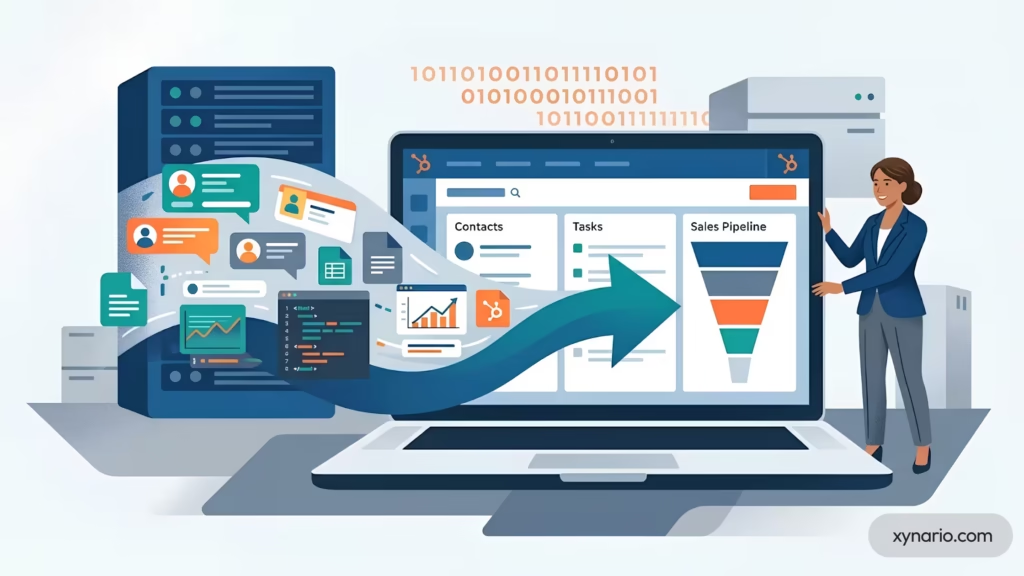
CRM migration is the most common reason ecommerce brands delay upgrading their tech stack. The fear of losing customer data, breaking existing automations, or experiencing downtime during a critical sales period keeps brands on outdated systems longer than necessary.
HubSpot’s migration tools, combined with an implementation partner’s experience, make zero-downtime migration achievable for ecommerce brands of any size. Xynario’s complete HubSpot migration guide covers this process end to end for brands moving from any source system, not only Salesforce.
Pre-Migration Audit: Mapping Your Existing Data
Every successful migration begins with a data audit. This audit answers three questions:
- What data exists? Catalog all customer records, order histories, email engagement data, support tickets, and custom fields from the current system.
- What data is clean? Identify duplicate records, missing fields, improperly formatted entries, and outdated contacts. Data quality issues in the old system should not carry over to the new one.
- What data maps to HubSpot? Map each field from the source system to a corresponding HubSpot property. Standard fields like name, email, and phone map directly. Custom fields may need new HubSpot custom properties or custom objects.
This audit typically takes one to two weeks for a mid-size ecommerce brand. For brands migrating from Salesforce specifically, Xynario’s Salesforce to HubSpot migration guide walks through the field-mapping process step by step.
Pro Tip: Run the data-quality pass before the field-mapping pass, not after. Mapping a duplicate or malformed field just moves the mess into HubSpot faster. Deduplicate and standardize formatting in the source system first, then map what is actually clean.
Zero-Downtime Migration With HubSpot Operations Hub
HubSpot’s Operations Hub provides three capabilities that make zero-downtime migration possible:
- Data Sync: bidirectional sync between HubSpot and over 100 third-party applications. During migration, Data Sync can run in parallel with the source system, keeping both platforms current until cutover.
- Data Quality Automation: automated workflows that standardize formatting, fix capitalization, merge duplicate records, and validate data integrity during and after import.
- Programmable Automation: custom-coded workflow actions that handle complex migration logic, such as transforming data formats, calculating derived fields, or conditionally routing records based on business rules.
| Phase | What Happens |
|---|---|
| 1. Audit | Catalog and assess data quality across all source systems |
| 2. Parallel Sync | Old system and HubSpot both receive live data simultaneously |
| 3. Validation | Confirm records, reports, and workflows match between systems |
| 4. Cutover | Old system decommissioned once validation is complete |
Running old and new systems in parallel during Phase 2 eliminates the traditional freeze period where teams cannot access the CRM during migration.
Post-Migration Checklist: Workflows, Automations, and Reporting
After the data migration completes, three areas need validation:
- Workflow recreation. Every automation from the old system must be rebuilt in HubSpot’s workflow builder, including email sequences, lead scoring rules, deal-stage transitions, and notification triggers. Rebuilding rather than replicating workflows is a chance to eliminate redundant automations and tighten trigger logic.
- Integration testing. Verify every connected tool, including Shopify, payment processors, shipping platforms, and advertising accounts, is syncing correctly with HubSpot in both directions.
- Report validation. Confirm key metrics, including customer count, total revenue, average order value, and email engagement rates, match between the old system and HubSpot within acceptable tolerances. Discrepancies at this stage point to mapping errors that need resolving before decommissioning the old system.
Total Cost of Ownership: What an Ecommerce CRM Really Costs

CRM pricing pages show monthly subscription costs. They do not show the total cost of ownership, which includes implementation, integration, training, ongoing maintenance, and the opportunity cost of delayed adoption.
Beyond Monthly Pricing: Implementation, Training, and Integration Costs
A realistic TCO analysis for an ecommerce CRM includes five cost categories, using HubSpot’s own published pricing as the current 2026 reference point.
| Cost Category | What It Covers | Typical Range |
|---|---|---|
| Software licensing | Marketing Hub Pro (~2,000 contacts), Sales/Service Hub Pro seats, or bundled Professional Customer Platform | ~$890/mo (Marketing alone) to ~$1,300/mo (bundled Professional) |
| HubSpot onboarding fee | One-time fee charged by HubSpot on Professional and Enterprise plans | $3,000 to $7,000 |
| Partner implementation | Configuring properties, building workflows, connecting ecommerce integrations | $5,000 to $25,000, scope-dependent |
| Data migration | Auditing, cleaning, mapping, and transferring data from the old system | 1 to 2 weeks (basic tools) to 4 to 8 weeks (enterprise CRM source) |
| Ongoing maintenance | Workflow updates, integration monitoring, data quality checks, platform upgrades | 10% to 15% of initial implementation cost per year |
HubSpot Academy provides free certification courses, but team-specific training on custom workflows and reports often needs additional investment on top of the categories above. Ask any implementation partner for a scoped estimate rather than relying on a general range; Xynario’s HubSpot Solutions team scopes based on actual order volume and integration complexity, not a flat rate card.
Industry Expert Opinion: Luke Marthinusen, founder of HubSpot Elite Partner MO Agency, has written extensively about HubSpot’s shift to seat-based pricing since 2024, and the practical takeaway for budgeting is that the sticker price on any single Hub rarely reflects what a real implementation costs once core seats, contact-volume overages, and onboarding fees are added in. Scoping the full bundle before committing to a tier avoids the most common budget surprise brands run into after signing. Read more from Luke Marthinusen on LinkedIn.
The Hidden Cost of NOT Migrating: Revenue Leakage
The most expensive CRM decision is not choosing the wrong platform. It is delaying the decision to leave an inadequate one.
Revenue leakage from an outdated or fragmented CRM setup shows up in several ways:
- Lost cart recovery revenue. Without automated multi-step abandoned cart workflows, brands recover only a fraction of salvageable sales. At a roughly 70% average cart abandonment rate, even a modest improvement in recovery translates to meaningful incremental revenue.
- Underperforming retention campaigns. Without RFM segmentation and lifecycle automation, retention emails stay generic and underperform. Personalized campaigns driven by CRM data consistently outperform batch sends in click-through and conversion rate.
- Support-driven churn. When support agents lack access to purchase history and prior interactions, resolution times increase and satisfaction drops, and repeat purchase behavior tracks closely with service quality.
- Wasted ad spend. Without CRM-connected ad audiences, brands retarget customers who already purchased, fail to suppress high-value customers from discount ads, or miss lookalike audience opportunities entirely. Xynario’s guide on optimizing paid advertising for lead generation covers the audience-suppression side of this in more depth.
The math behind the first bullet above is worth showing directly, since “lost cart recovery revenue” means little without a formula attached: monthly revenue at risk equals monthly site visitors multiplied by cart abandonment rate, multiplied by average order value, multiplied by the recovery rate a CRM-triggered flow can realistically achieve.
A brand with 50,000 monthly visitors, a 70% abandonment rate, and a $65 average order value has roughly 35,000 abandoned carts a month. Recovering even 10% of those through an automated flow like the one detailed earlier in this guide is 3,500 recovered orders, worth $227,500 a month.
That is the revenue a brand leaves on the table for every month it delays recovery automation, not the cost of the CRM itself. Swap in real visitor, AOV, and abandonment figures for an accurate number for any specific brand.
The cumulative cost of these leakages over 12 months almost always exceeds the cost of a proper CRM implementation.
Best Practices for Implementing CRM in Your Ecommerce Business
CRM implementation fails when teams treat it as a software installation rather than a business process transformation. The following practices are drawn from experience implementing HubSpot for ecommerce brands across multiple verticals.
Define Your Customer Lifecycle Before You Configure
Before creating a single property or workflow in HubSpot, map the complete customer lifecycle from first touch to repeat purchase.
For most ecommerce brands, this lifecycle includes seven stages: Anonymous Visitor, Known Lead (email captured), First-Time Buyer, Repeat Customer, VIP/Champion, At-Risk, and Lapsed. Each stage should have clear entry criteria, exit criteria, and at least one associated automation.
This lifecycle map becomes the blueprint for every HubSpot configuration decision. Contact properties capture the data needed to identify each stage. Workflows automate the transitions between stages. Dashboards report on the volume and velocity of contacts moving through the lifecycle.
Without this map, CRM configuration becomes ad hoc and fragmented.
Start With Quick Wins: 3 HubSpot Automations to Launch in Week 1
CRM implementation does not need to be a multi-month project before delivering value. Three automations can launch in the first week:
| Automation | Trigger | What It Does |
|---|---|---|
| Welcome email series | New contact created via Shopify or a website form | 3-email sequence: brand intro, best-sellers, first-purchase incentive |
| Abandoned cart recovery | Deal stage set to “Cart Abandoned” | The 3-step workflow detailed earlier in this guide |
| Post-purchase thank you | 24 hours after order delivery | Automated email requesting a review, with a discount code for the next purchase |
These three automations address the three highest-impact lifecycle moments: acquisition, conversion recovery, and retention. They can be built in HubSpot within a single business day. Xynario’s own breakdown of how CRM automation saves 20 hours a week walks through real examples of exactly this kind of quick-win sequencing, and the CRM automation services page covers what a fuller automation build looks like beyond week one.
Measuring CRM ROI: KPIs That Actually Matter for Ecommerce
CRM ROI is not measured by the number of contacts in the database or the number of emails sent. It is measured by business outcomes tied directly to CRM-driven activities.
| KPI | What It Measures | Why It Matters |
|---|---|---|
| Customer Lifetime Value (CLV) | Total revenue per customer over the full relationship | Rises with personalized retention and post-purchase engagement |
| Repeat Purchase Rate | % of customers who buy more than once | Directly influenced by RFM segmentation and lifecycle automation |
| Cart Recovery Rate | % of abandoned carts converted through automated workflows | The clearest read on abandoned cart workflow effectiveness |
| CAC Efficiency | Customer acquisition cost relative to targeting quality | Improves as CRM-driven segmentation sharpens ad targeting |
| Support Resolution Time | Speed of ticket resolution | Faster resolution, driven by unified data, reduces churn |
Track these KPIs monthly using HubSpot’s custom dashboards, and attribute changes directly to CRM workflows to demonstrate ROI to stakeholders.
Common Ecommerce CRM Myths, Debunked

Myth: A CRM is only for sales teams, not ecommerce. Ecommerce is largely self-service, but the CRM’s job isn’t to run a sales team. It’s to unify marketing, service, and purchase data into one customer record so automation and personalization actually work. Most of the value described in this guide, abandoned cart recovery, RFM segmentation, post-purchase workflows, has nothing to do with a traditional sales rep.
Myth: Klaviyo is a full replacement for a CRM. Klaviyo’s 2026 repositioning as a “B2C CRM” reflects real expansion into data unification and support tooling, but it still doesn’t include a native sales pipeline for wholesale or B2B deals, and its multi-channel service ticketing is a newer add-on rather than a mature help desk. Brands that outgrow email-only marketing typically need to add a full CRM, not swap Klaviyo for one that only replicates email.
Myth: More AI features automatically mean better results. HubSpot’s Agent Hub is a genuine capability upgrade, but every agent in it, Data Agent, Customer Agent, Prospecting Agent, and Deal Progression, reads from the underlying CRM data. An agent layered on top of messy, incomplete contact records produces confident, wrong output faster than a human would. Data quality has to come before agent activation, not after.
Myth: Migrating to a new CRM always means downtime. Downtime happens when brands attempt a single cutover migration rather than a parallel sync. HubSpot’s Operations Hub supports running the old and new systems simultaneously during migration, so the storefront and customer-facing tools never go dark.
Myth: The cheapest CRM is the cheapest option overall. A free or low-cost CRM that lacks ecommerce-specific automation shows its real cost in lost cart recovery revenue, generic retention campaigns, and wasted ad spend, all of which are harder to see on a monthly invoice but show up directly in the P&L.
Myth: Enterprise CRM platforms are always the safer choice as a brand scales. Salesforce’s Agentforce Commerce is genuinely built for retailers above $50 million with complex global catalogs, but implementing it below that threshold introduces cost and complexity, GMV-based pricing, six-month-plus implementation timelines, dedicated administrator requirements, that most growth-stage brands don’t need yet and won’t fully use.
Final Verdict: Choosing the Best CRM for Your Ecommerce Growth Stage

A quick note on how this guide was built: pricing and feature comparisons were verified against each vendor’s publicly listed pricing pages as of September 2026. Software pricing changes frequently, so confirm current rates directly with each vendor before making a purchasing decision.
Xynario is a HubSpot Solutions Partner, and that relationship is worth disclosing plainly: where HubSpot is the recommendation in this guide, it is because it fits the stated use case, not by default.
The ERP-native and enterprise-scale sections above name the categories where it is not the right fit.
So, The best ecommerce CRM is the one that matches the brand’s current growth stage and scales to the next one without a disruptive migration.
For brands at the launch stage, HubSpot’s Free CRM provides the foundation. For brands at the scale stage, HubSpot Professional unifies marketing, sales, and service into a single data layer, with Agent Hub available as data quality matures. For brands at the expand stage, HubSpot Enterprise with Operations Hub supports multi-store, multi-market architectures with custom objects and programmable automation.
The growth-stage framework in this guide eliminates the most common CRM selection mistake: choosing a platform based on features instead of fit. A CRM that is too simple creates data silos. A CRM that is too complex creates adoption resistance. The right CRM solves the specific pain points of the brand’s current stage while providing a clear upgrade path for the next one, including a clear-eyed view of what Agent Hub can and cannot do until the underlying data is ready for it.
Xynario specializes in helping ecommerce brands implement, migrate to, and scale with HubSpot. From CRM automation strategy to AI agent readiness to migration execution, Xynario’s HubSpot Solutions are built to turn CRM investment into measurable revenue growth. See how this plays out for real brands in Xynario’s case studies, learn more about the team on Who We Are, or get in touch directly for a free CRM audit.